
Guides
Connect Reyndex to ChatGPT
Overview
Search your workspaces and candidates from ChatGPT through a secure, read-only MCP plugin
ChatGPT can only read workspaces and candidate data your Reyndex account can already access. It cannot change or delete data
Before you start
- The MCP add-on active on at least one of your Reyndex workspaces
- ChatGPT on the web with Plugins and Developer mode available
Connection URL
Paste this URL into ChatGPT
https://mcp.reyndex.com/mcp/chatgpt
Set up ChatGPT
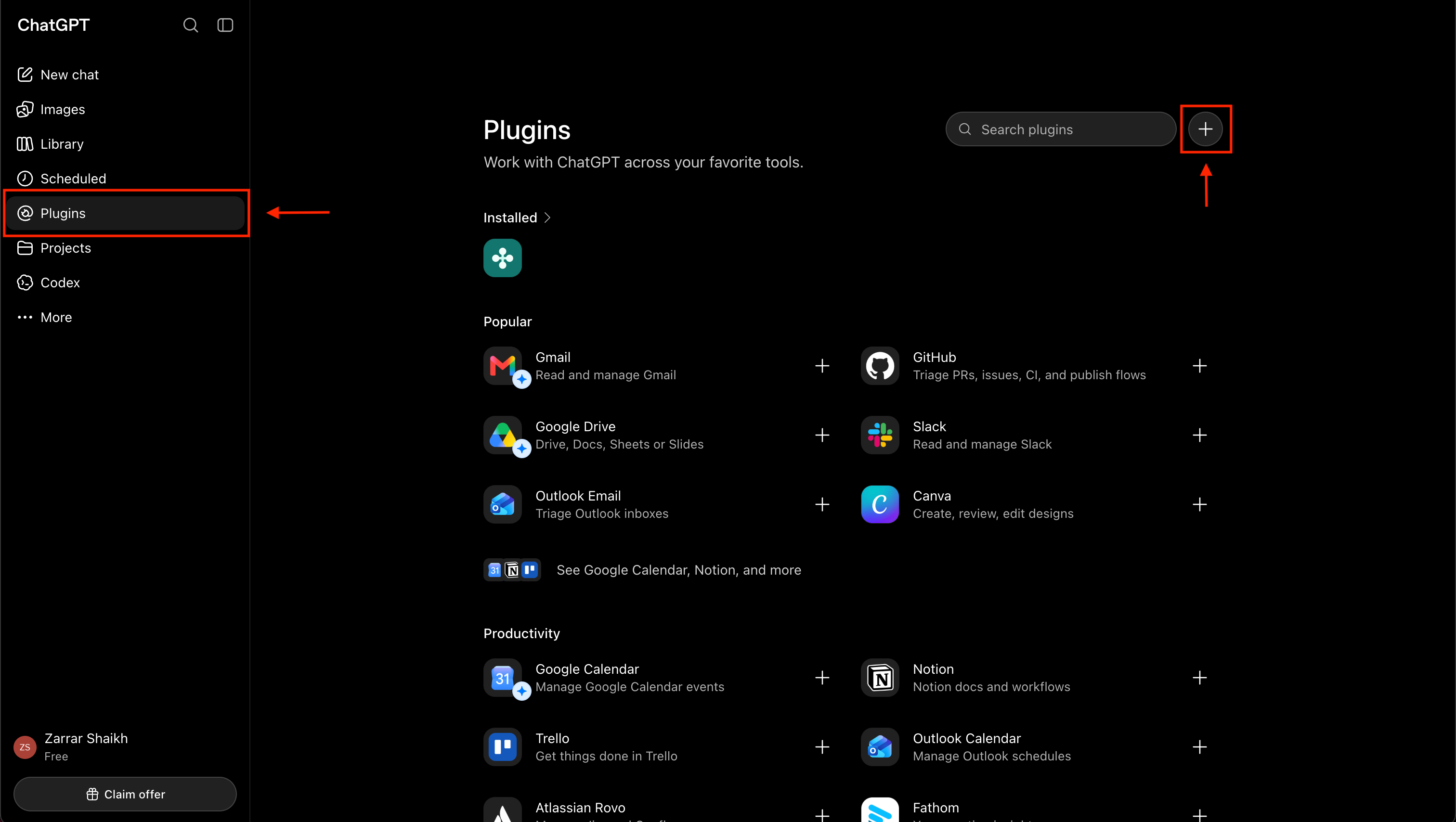
- 01
- 02
- 03
- 04
- 05
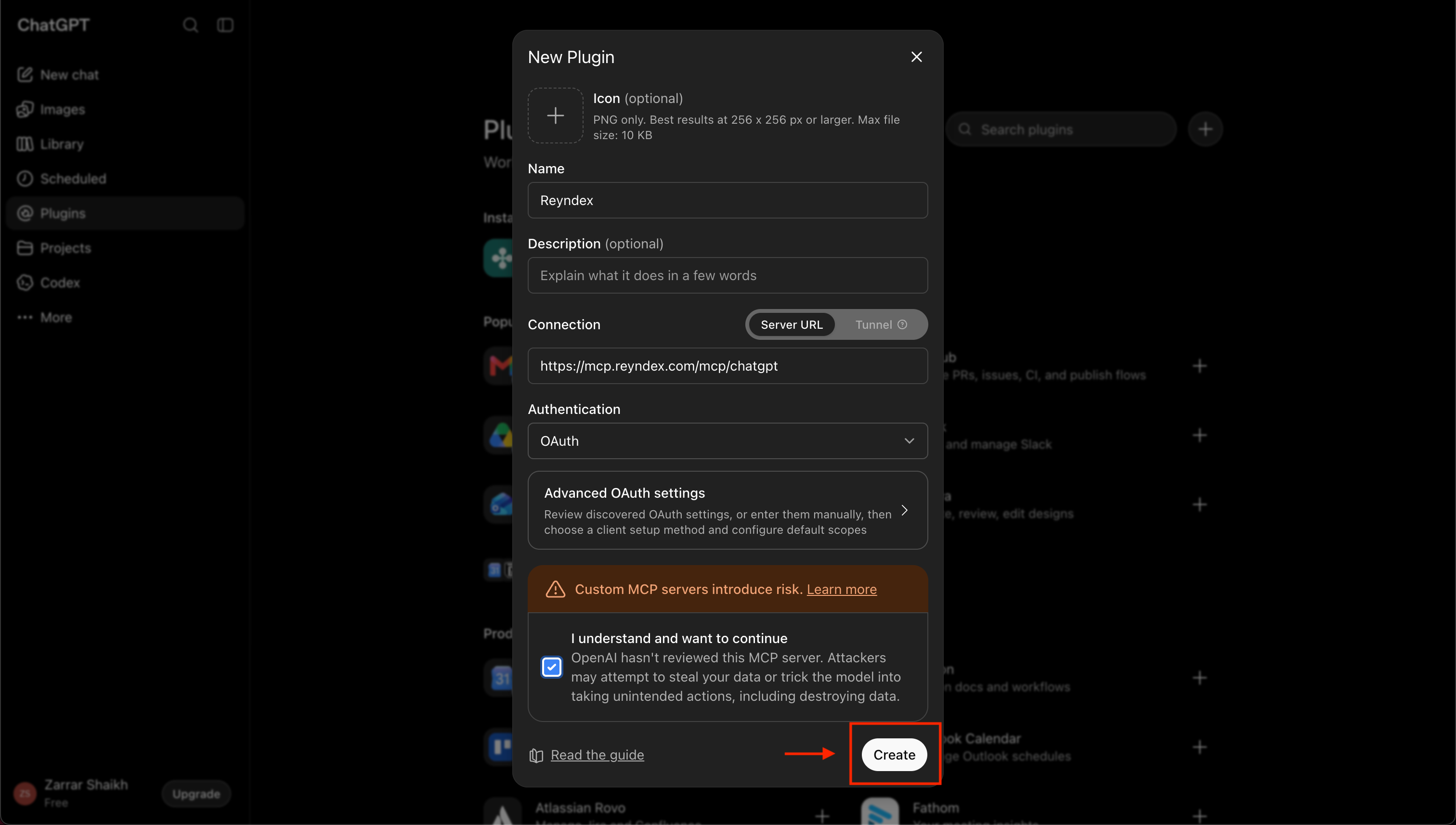
Configure Reyndex
Enter Reyndex as the name, choose Server URL, and paste the connection URL. Choose OAuth for authentication, accept the custom MCP warning, then select Create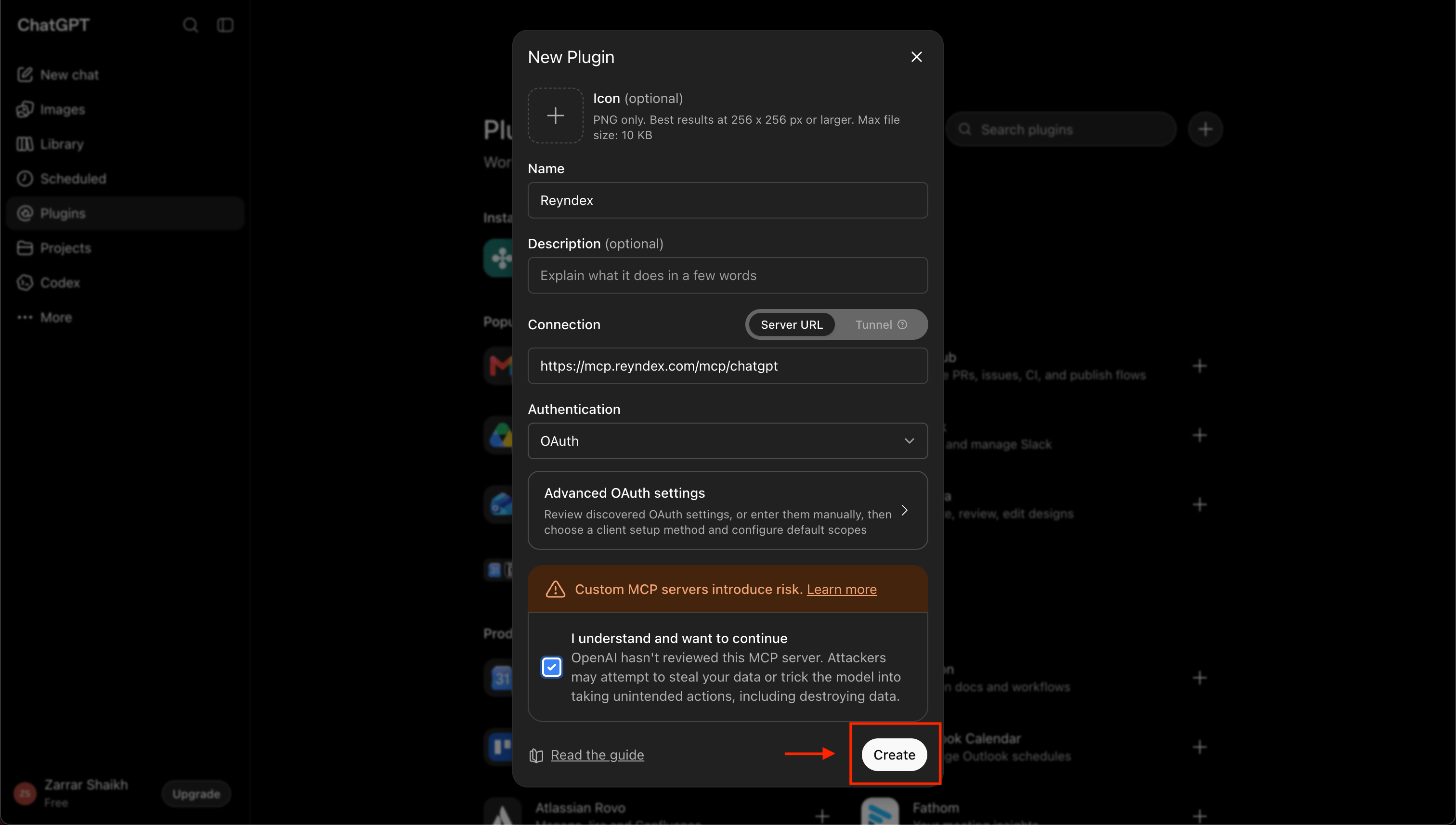
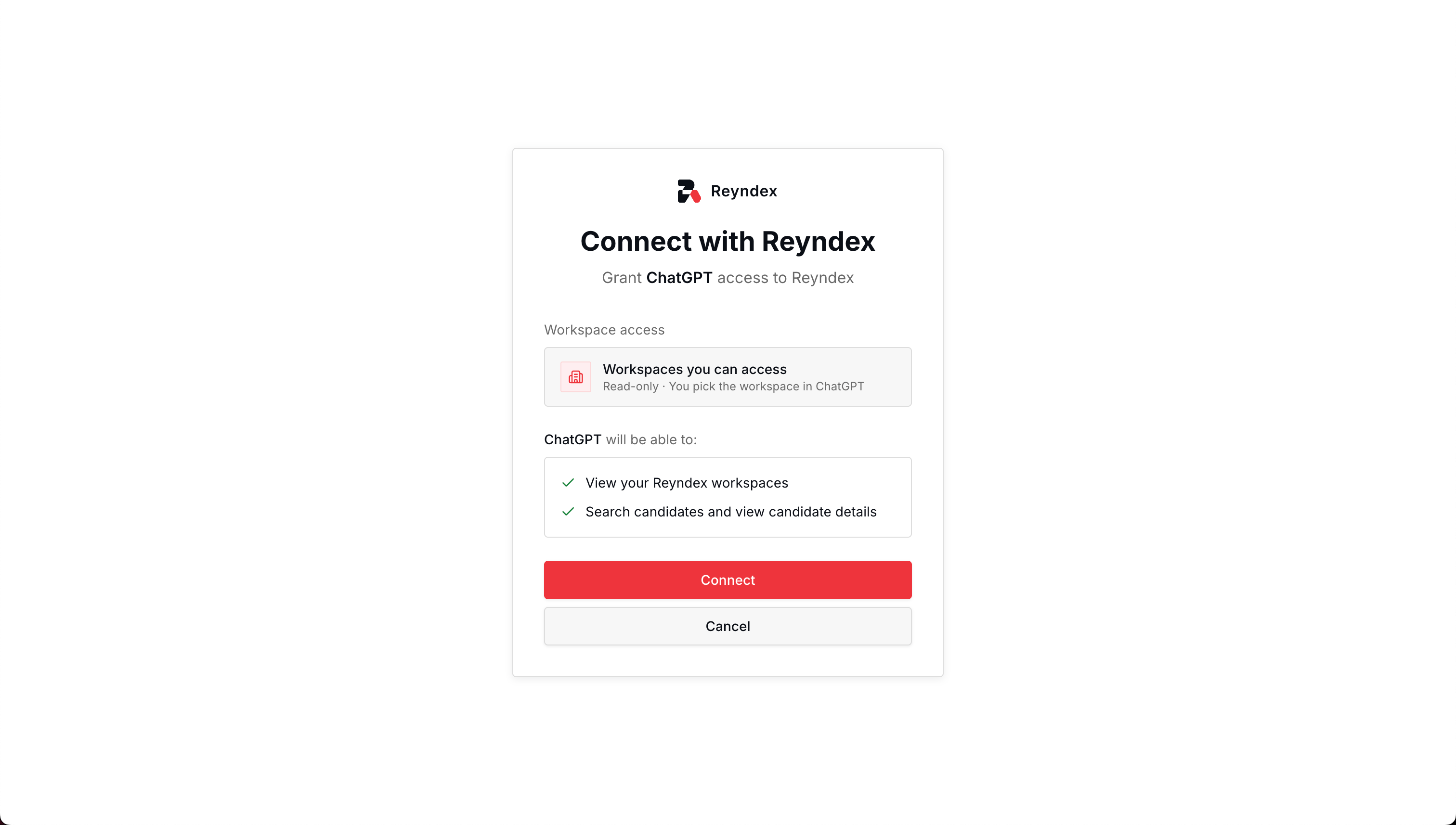
- 06
- 07
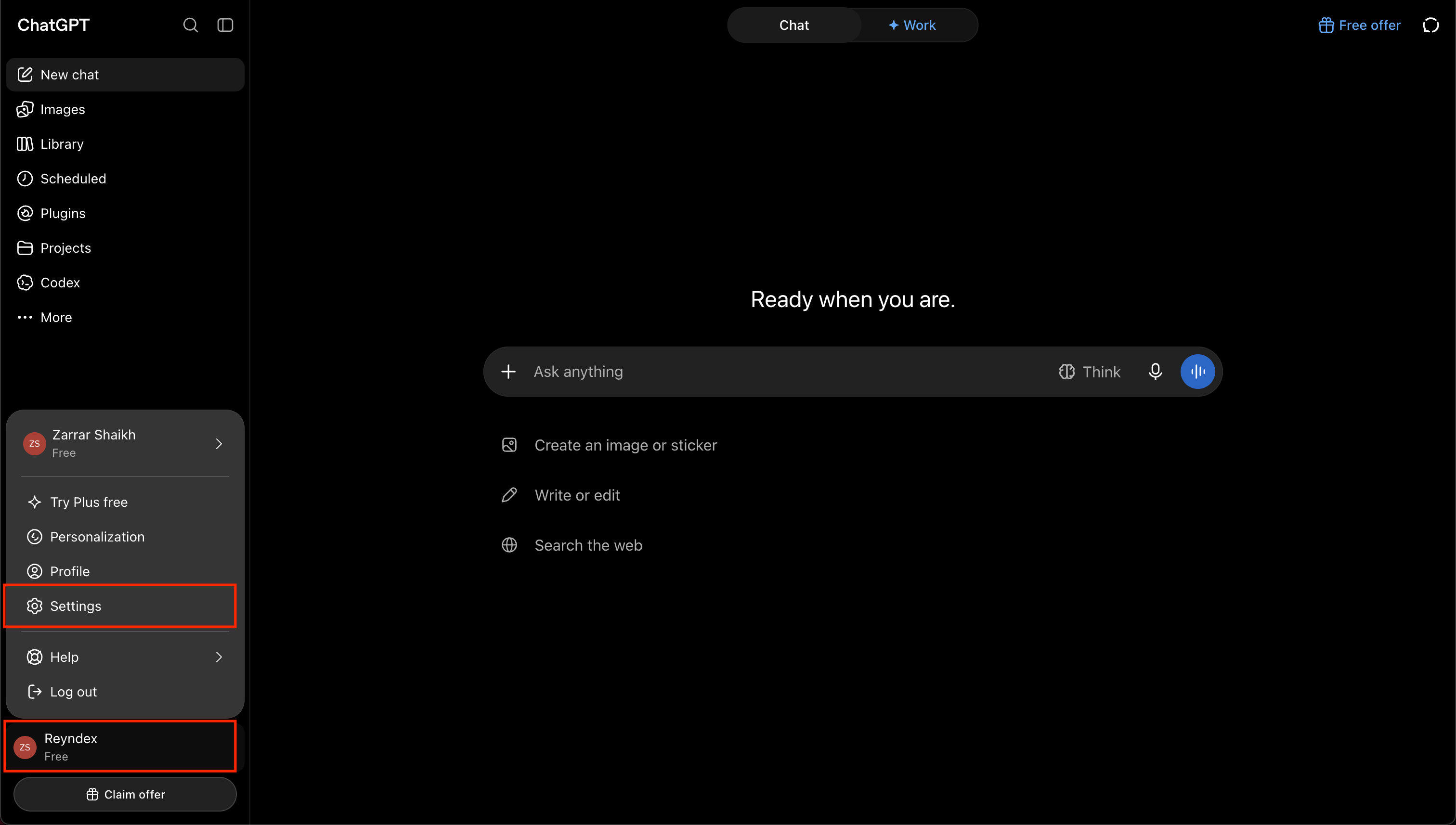
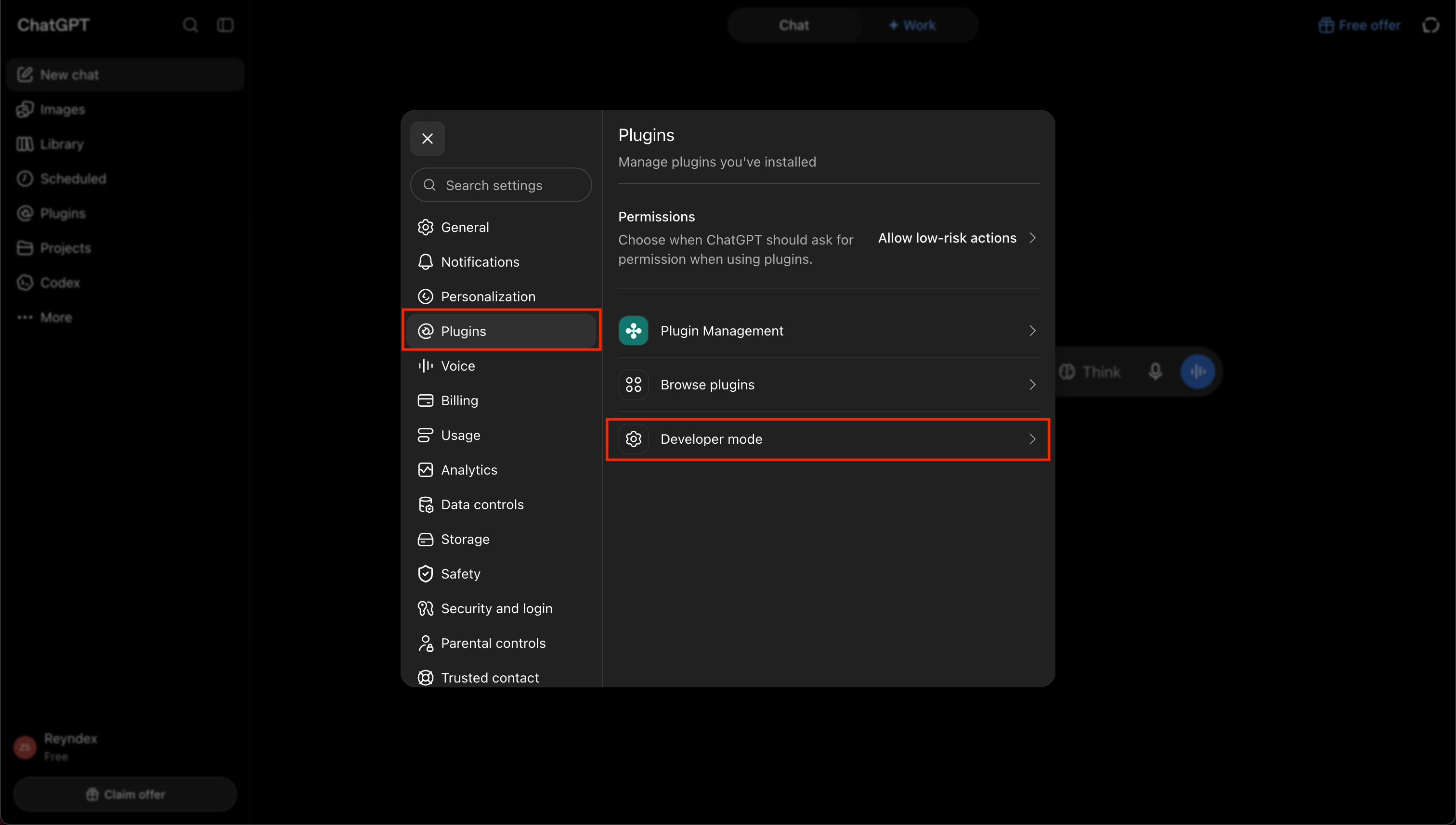
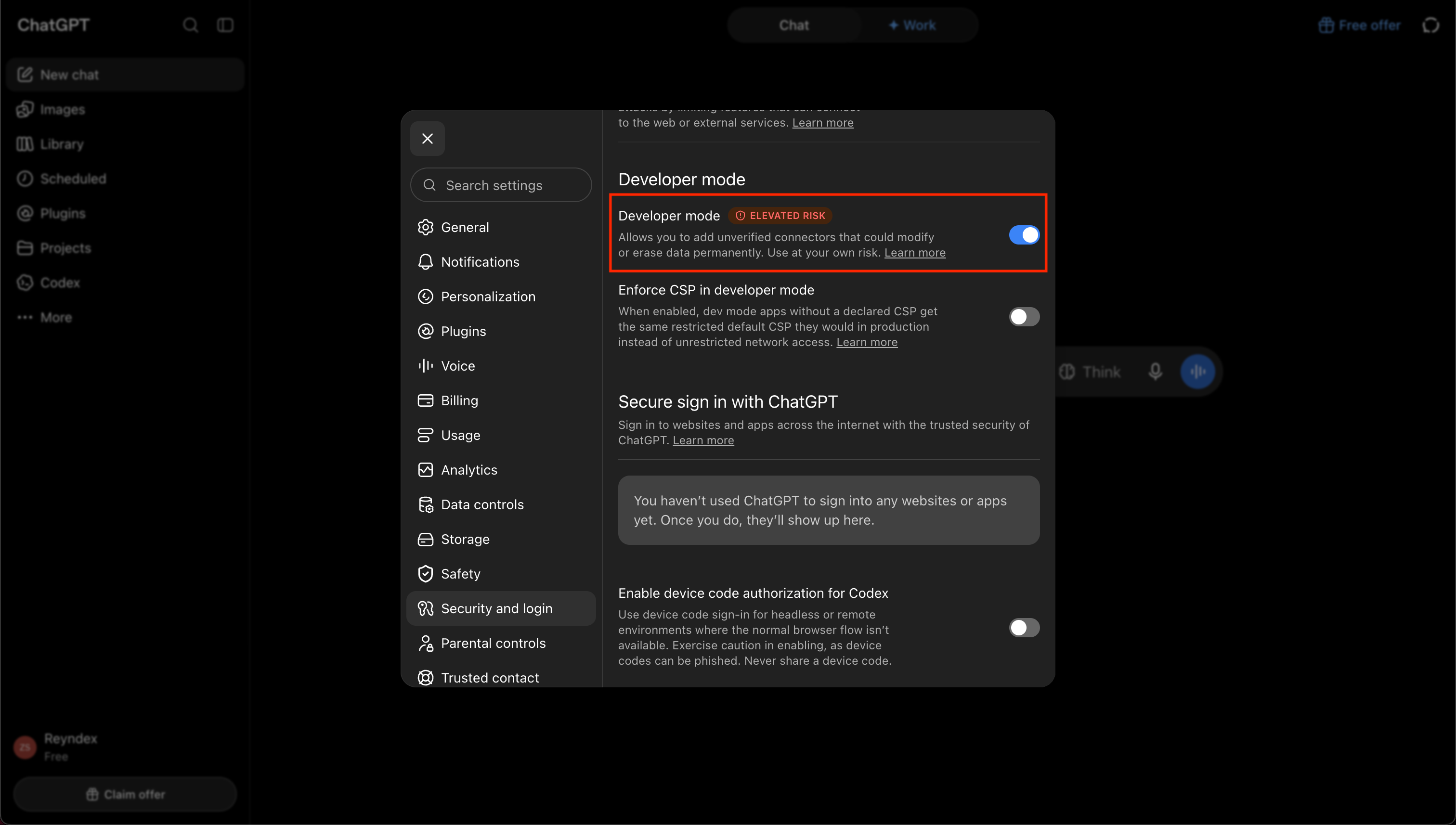

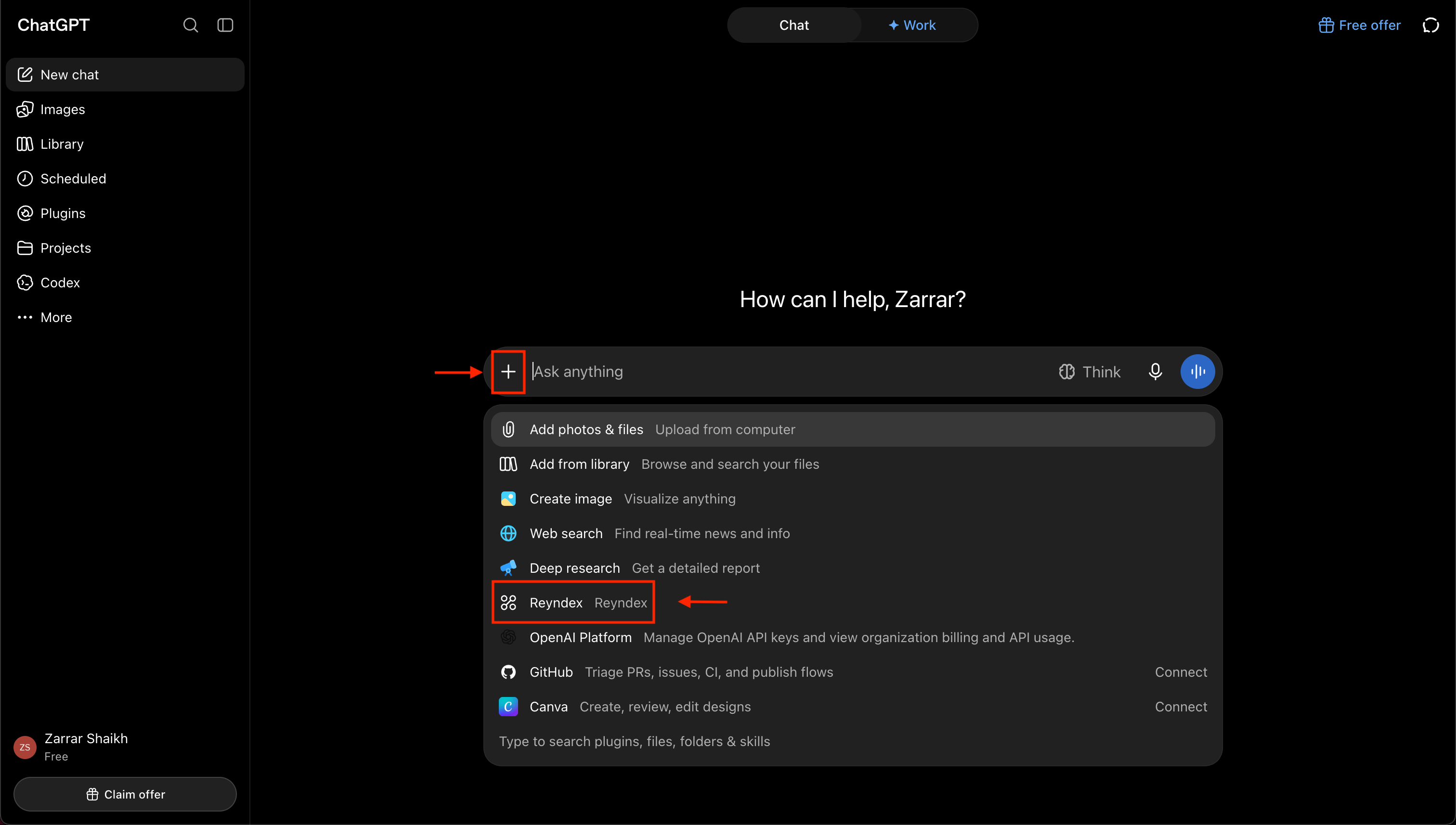
Use Reyndex in a chat
Reyndex answers only in conversations where it is selected
- 01
- 02
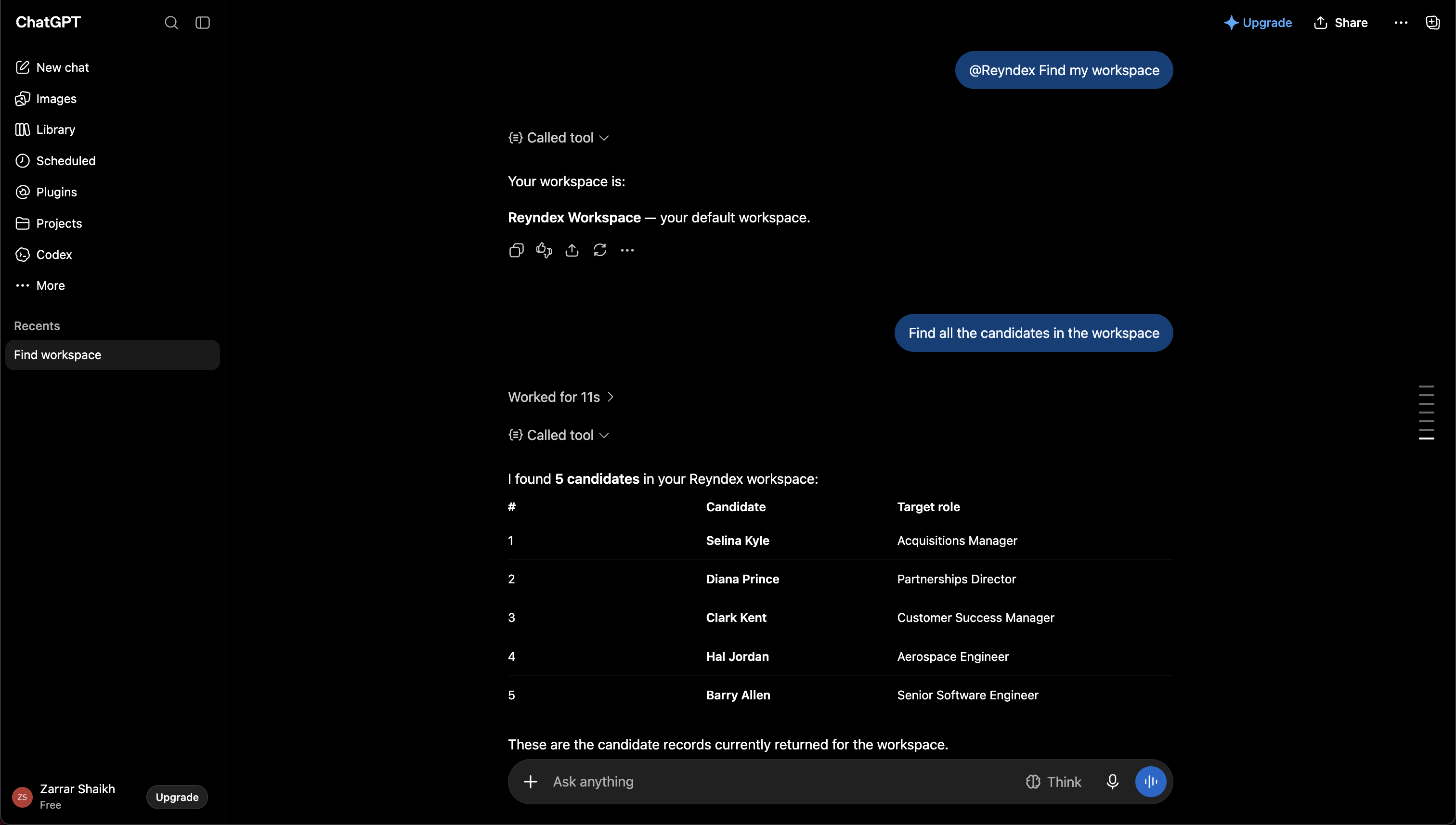
Ask about your workspaces or candidates
ChatGPT can list your workspaces only when you approved workspace discovery. Without that permission, begin with a candidate search and use the workspace returned with a result for later requests. An empty workspace needs discovery permission or a workspace you already know. Ask for candidates by name, email, phone, target role, current company, current title, skills, location, or a value in a searchable workspace column. Free-text search checks other searchable built-in values and stored values in every active column your team added, including hidden columns. It skips values in Reyndex's built-in link, mailbox, and date columns, and it ignores failed column results; candidate email is still searchable. Results arrive in pages of up to 20, so ask for more matching results when needed. To filter by a column name, name the workspace and use the column's exact name. You can ask for several candidates together, list saved views, and continue through a selected view using its saved filters and sorting. Saved-view names can repeat, so choose the intended view when the client presents more than one match. Candidate results include links to open candidates in Reyndex.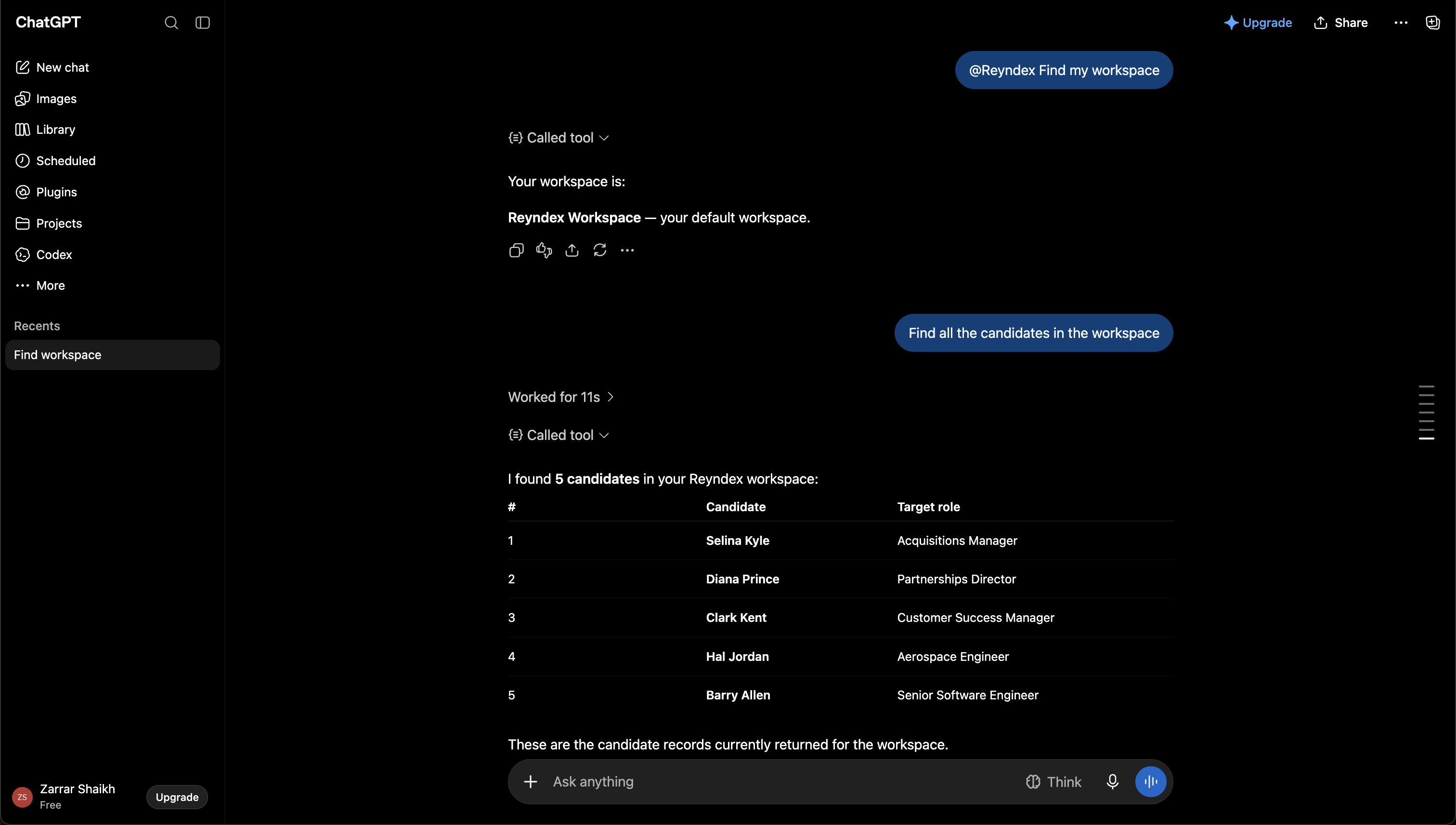
Disconnect ChatGPT
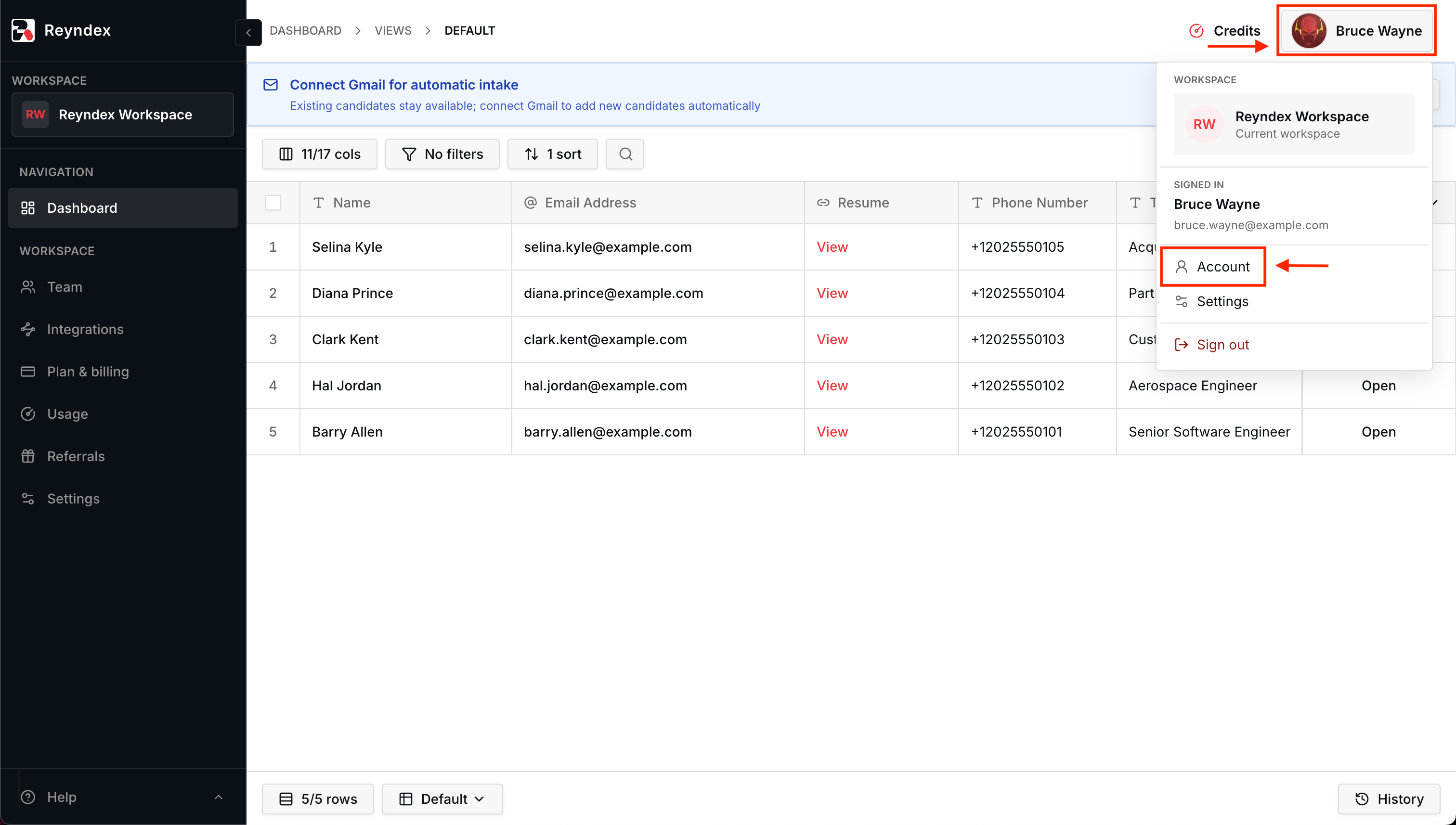
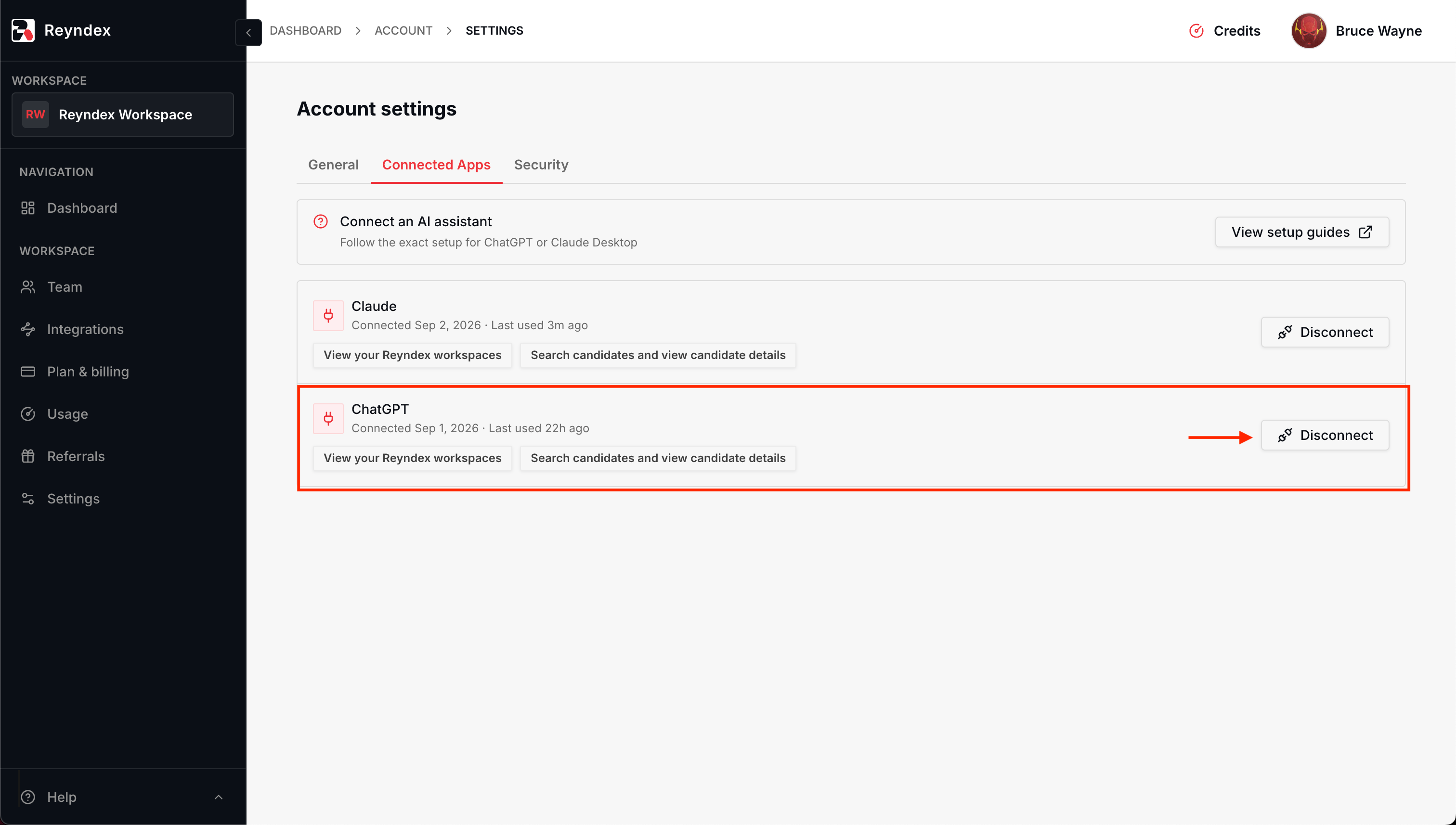
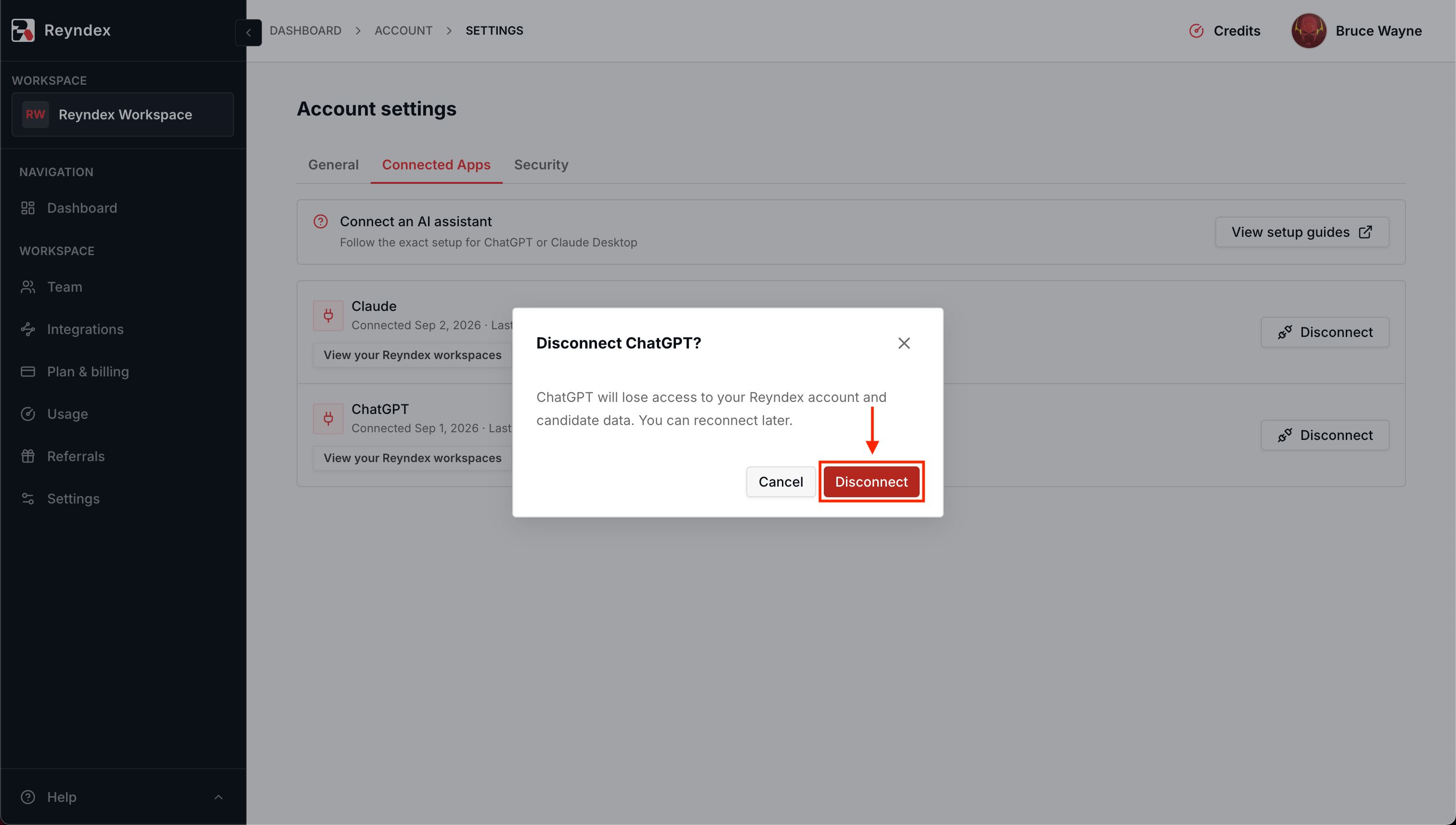
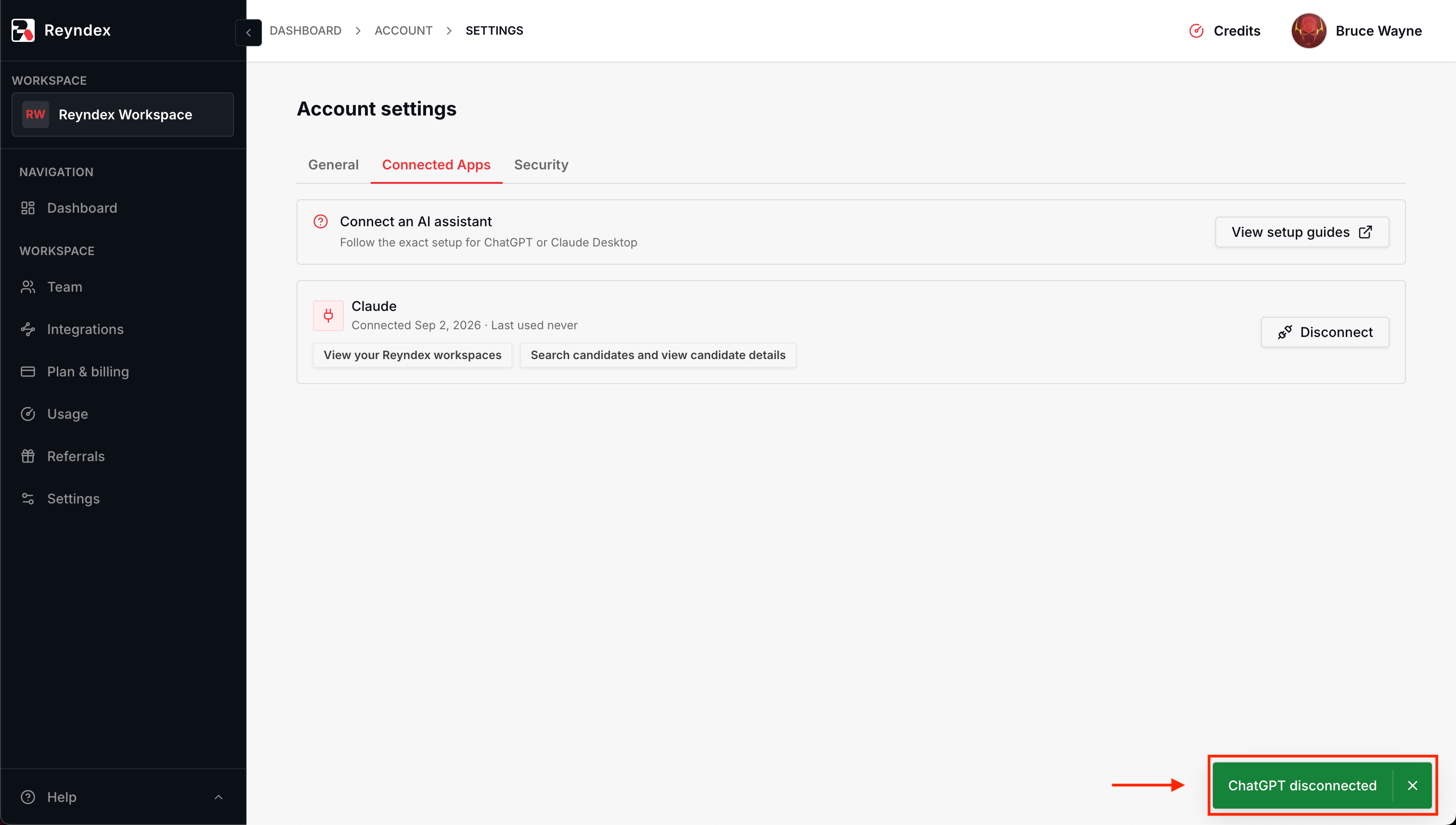
Disconnecting in Reyndex stops ChatGPT from reading any data until you connect it again from ChatGPT
- 01
- 02
- 03
- 04
Troubleshooting
- Plugins or Developer mode is missing from Settings
- Use ChatGPT on the web, not the desktop or mobile app, and confirm you are in the intended ChatGPT workspace. If a workspace administrator has disabled Plugins or Developer mode, they must enable it before you can continue. See the OpenAI developer mode instructions.
- Create fails or the plugin never asks you to sign in
- Check the New Plugin dialog: Connection must be Server URL, Authentication must be OAuth, the acknowledgement must be checked, and the URL must match the connection URL exactly, ending in /mcp/chatgpt. Retype the URL rather than editing a pasted value.
- Sign in with Reyndex fails or the consent screen never appears
- Sign in with the Google account that owns your Reyndex account, not a different Google account in the same browser. If your Reyndex workspace requires two-factor authentication, you must complete it during sign-in before the consent screen appears.
- Reyndex replies that MCP access is not enabled
- Only workspaces with the MCP add-on are available to ChatGPT. An Owner or Admin can add it from Reyndex billing. Reconnect after the add-on is active.
- A candidate or workspace is missing from results
- Reyndex searches only workspaces you belong to that have MCP access. Free-text search checks candidate name, email, phone, target role, current company, current title, skills, location, other searchable built-in values, and stored values in every active column your team added, including hidden columns. Values in Reyndex's built-in link, mailbox, and date columns do not match free text, failed column results are ignored, and candidate email remains searchable. Results arrive in pages of up to 20, so ask for more matching results to continue. Column-name filters apply within a selected workspace; name the workspace and use the column's exact name.
- Reyndex worked before and now returns an authorization error
- Access ends when someone disconnects ChatGPT in Reyndex under Account → Connected Apps, or when your workspace turns on required two-factor authentication. Go to Settings → Plugins, select Reyndex, then sign in again to reconnect.
- ChatGPT answers without calling Reyndex
- Reyndex must be selected for the message. In the composer, select + → Reyndex, or @mention Reyndex in the prompt.